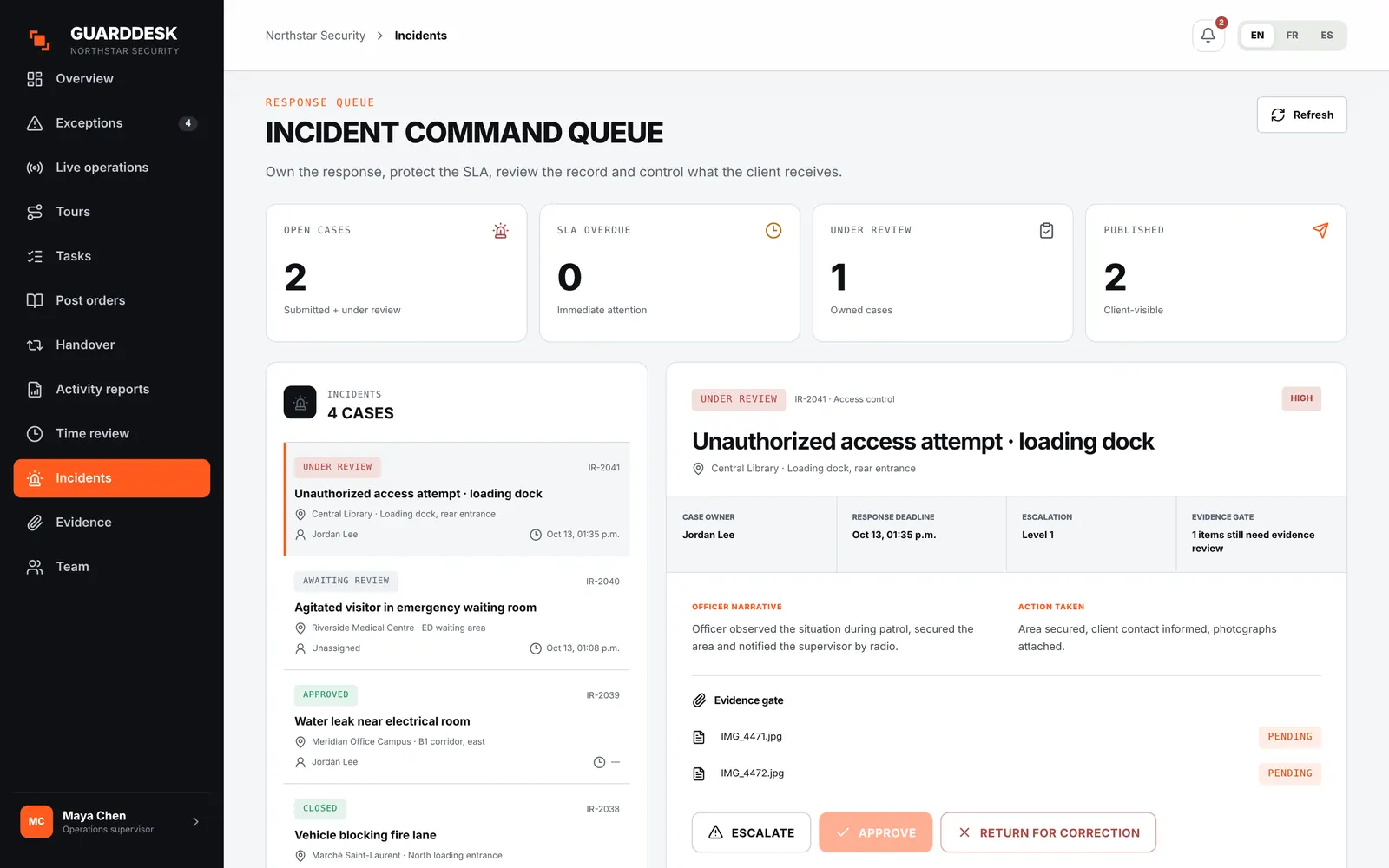
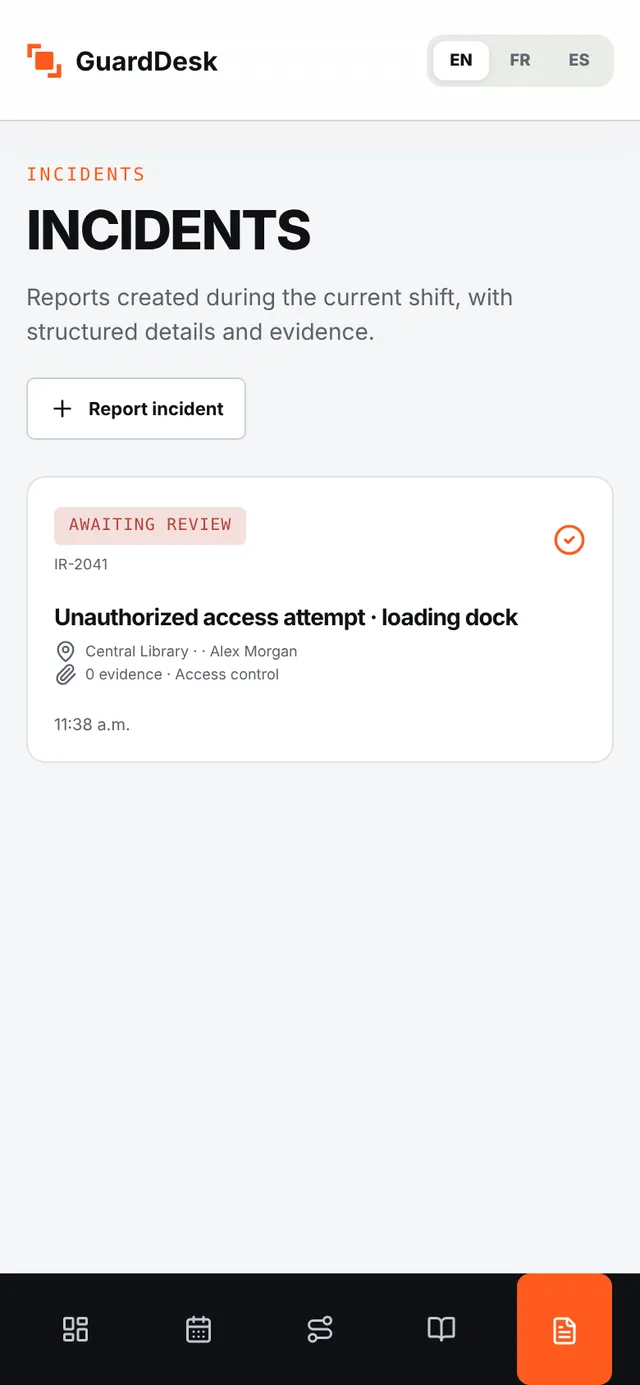
- Structured incident forms with photos
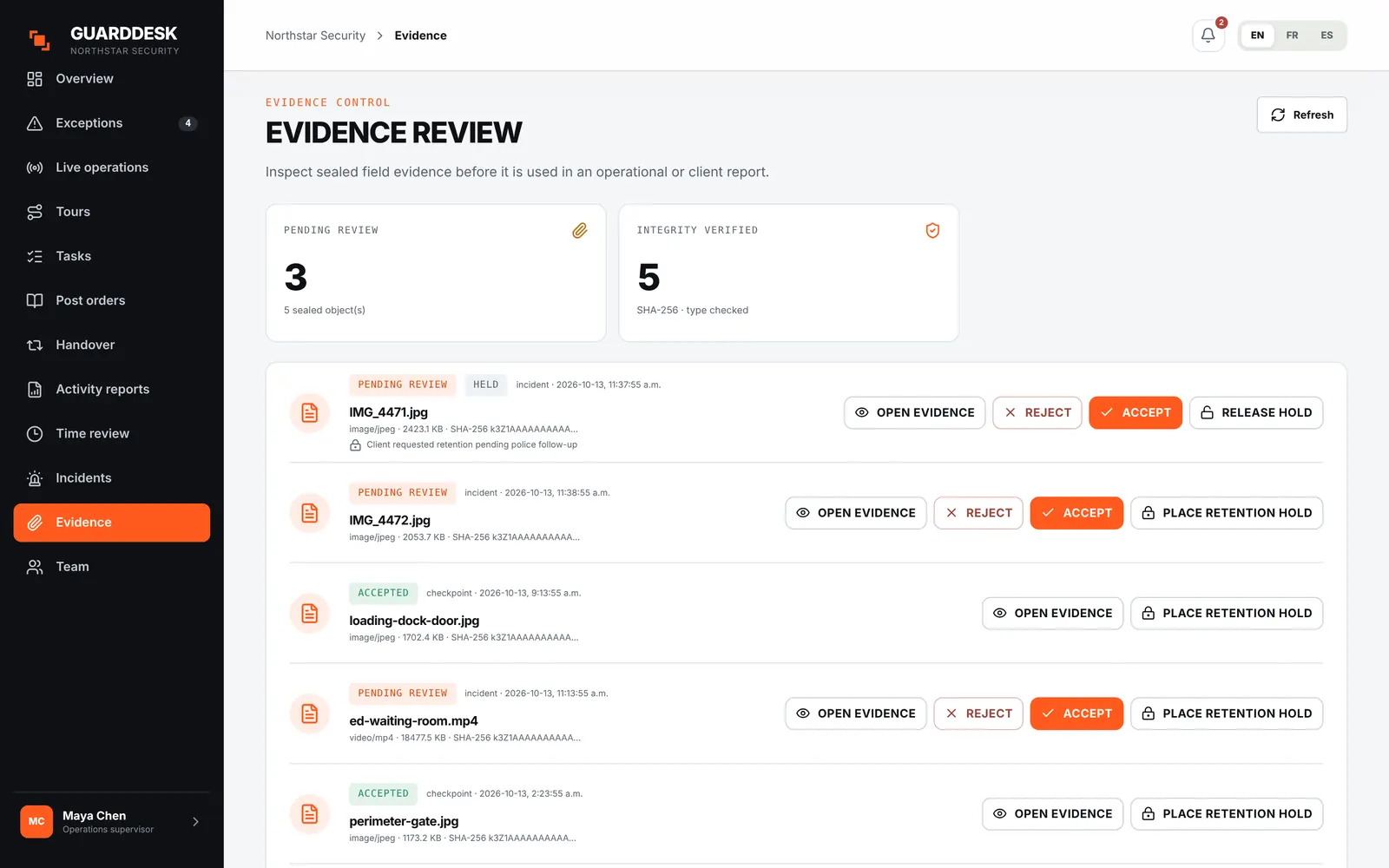
- Sealed evidence and chain of custody
- Supervisor review before publication
- Published incidents in the daily client report
Security incident reporting softwareIncident reports you’d hand to a lawyer.
Guards report from the phone, with photos, even offline. A supervisor reviews every report before the client sees it, and each photo is fingerprinted at capture so nobody can question whether it was changed.
From $9 per active guard per month · incidents and evidence in both plans
Where incident reports usually break
TodayA narrative typed at 4 a.m. into a group chat, with the photos somewhere else.
With GuardDeskA structured form for each incident type, with the photos attached on the spot. It works without signal.
TodayThe client gets the first draft, typos, opinions and all.
With GuardDeskNothing reaches the client until a supervisor approves and publishes it. Corrections go back to the guard with a reason.
TodaySix months later, an insurer asks whether the photo was edited.
With GuardDeskEach photo is fingerprinted (SHA-256) when it’s captured and keeps a chain of custody. Any change would show.
On the guard’s phone
Report it while it’s fresh.
The guard picks the incident type and answers the questions your clients expect. Photos and video attach from the phone, and the report saves even with no signal.
- Structured forms
- Incident types with the right questions: who, what, where, when, actions taken, police or ambulance called.
- Photos and video
- Captured in the app and attached to the report as evidence.
- Offline and encrypted
- Drafts and photos stay encrypted on the phone until they sync.
Supervisor review
One person owns each case.
The supervisor takes the case, checks the narrative and the evidence, and approves, escalates or returns it for correction, against a response deadline.
- Case management
- Owner, response deadline, notes, escalation level, decision and corrective actions.
- Return for correction
- Send it back to the guard with what to fix. Both versions are kept.
- AI-assisted writing (Pro)
- Optional help turning notes into a clear, neutral narrative. Never used for training.
Evidence
Evidence that holds up.
Every photo and video is sealed when it’s captured. Supervisors accept or reject evidence before it’s used, and can place a retention hold when a claim or police file is open.
- SHA-256 fingerprint
- Calculated at capture and kept with the file, so any later change shows.
- Redacted copies
- Share a redacted version with the client while the original stays sealed.
- Retention hold
- Keep the evidence past the normal retention period when a claim is open.
Getting started
Your incident forms in GuardDesk this week
- 01 Send us your current incident form. Or start from our free template. We set up your incident types and questions.
- 02 Choose who reviews. Supervisors per site, and how fast each type needs an answer.
- 03 Guards install the app. iPhone or Android, on their own phone.
- 04 Clients see only approved reports. In the daily report by email, or in the client portal on Pro.
Pricing
Incidents are in both plans
No setup fee, no per-site fee, month to month. Starter has a $150 monthly minimum, Pro $250.
See pricing- Everything in Starter
- Client portal logins
- AI-assisted report writing
- Labour-rule compliance in scheduling
Questions firms ask
Can we keep our own incident form?
Yes. We set up your incident types and questions when you start. If you don’t have one, our free incident report template is a good base.
Who decides what the client sees?
A supervisor. Nothing is published until they approve it, and internal notes, pay and employee details are never shared unless you choose to.
How do you prove a photo wasn’t changed?
Each file gets a SHA-256 fingerprint when it’s captured. Any later change to the file would no longer match, and every step of the case is in the audit log.
Does the guard app work without signal?
Yes. Reports and photos are saved and encrypted on the phone, then sync when the phone reconnects.
What about use-of-force reports?
Reports involving force or an arrest need more detail than a standard form. Our template includes a use-of-force supplement and a witness statement you can use today.