Everything a guard firm runs on, in one system.
Scheduling, verified patrols, incidents, timesheets and client reporting share one record of each shift. Nothing is typed twice, and nothing a client sees can be edited after the fact.
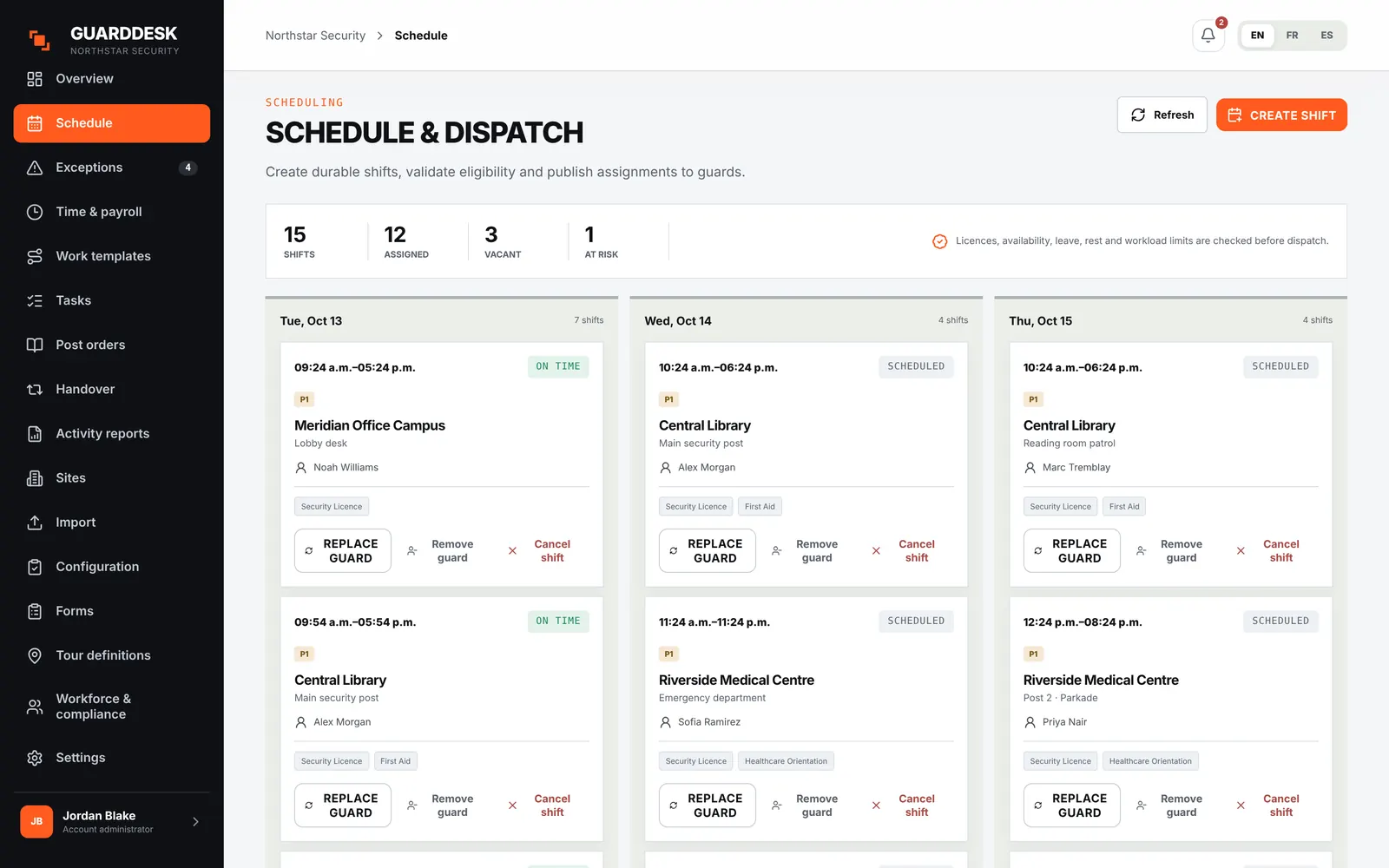
Fill every post with someone who’s allowed to be there.
Every assignment, offer and swap runs through the same eligibility check, so an expired licence or a rest-rule breach never reaches a post by accident.
- Weekly schedules
- Recurring weekly series, copy-week, split shifts and correct daylight-saving handling.
- Eligibility on every path
- Licence and site requirements, overlaps, rest periods, overtime thresholds and a rolling 7-day maximum. Overrides need a recorded reason.
- Shift offers
- Offer a shift to one guard or to every eligible guard at once. Offers expire after 30 minutes and are accepted from the phone.
- Leave, availability and swaps
- Guards send leave requests and availability from the app; dispatchers approve swaps and leave in the web app.
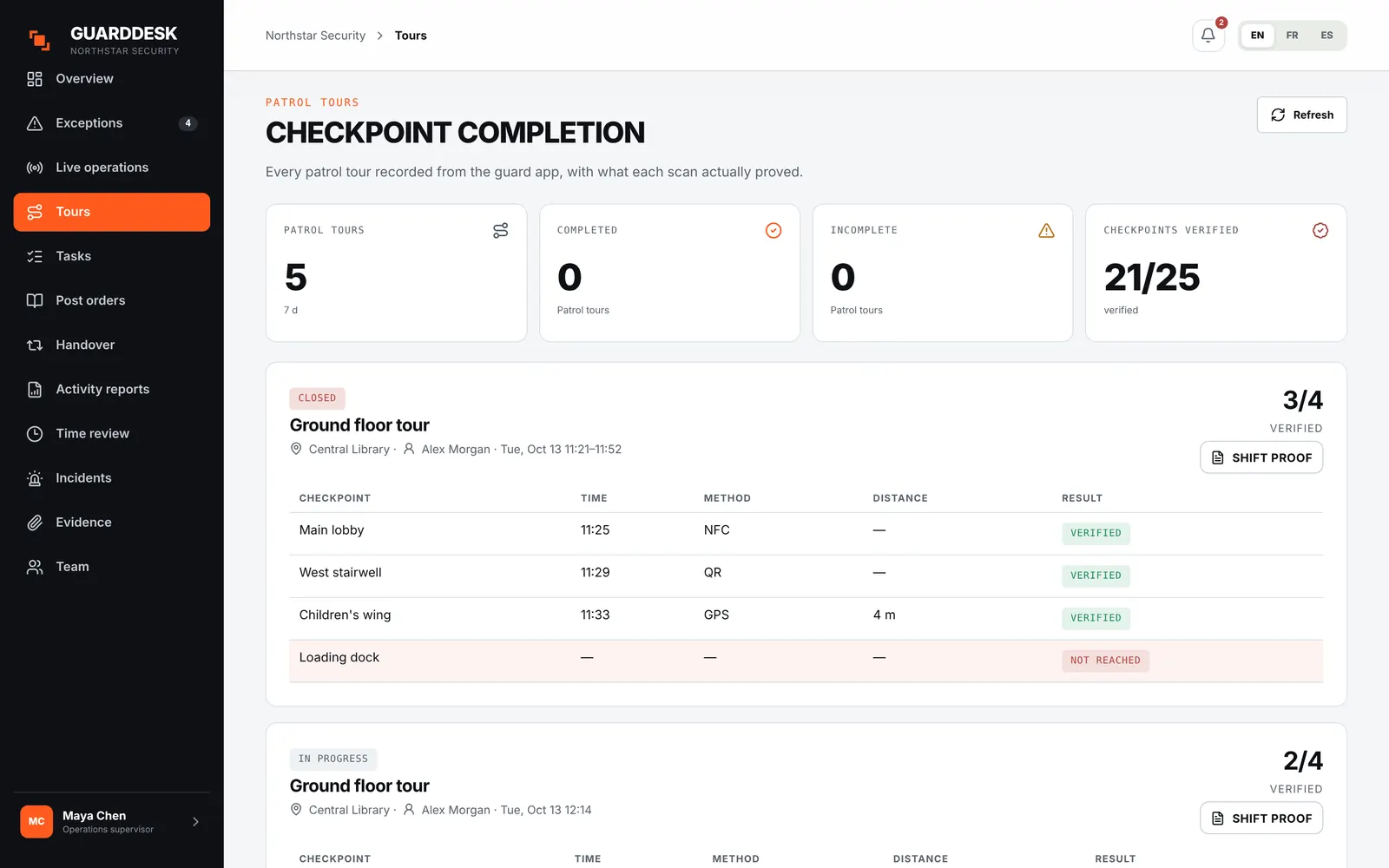
Proof that holds up when a client asks.
A scan is only counted when the server agrees it happened at the right tag, in the right place, in the right window. Everything else is flagged for a supervisor.
- Checkpoint tours
- NFC tags, QR codes or GPS points, in order and within timing windows you define per site.
- Server-side verification
- Time, location and tag are checked on the server. Each scan ends as verified or flagged, never silently accepted.
- Missed and incomplete tours
- Detected automatically and raised as exceptions within minutes.
- Printable tags
- Print QR checkpoint sheets from the web app, or use any standard NFC sticker.
- Frozen shift proof
- At clock-out the shift’s record is frozen, so the proof a client receives can’t be changed later.
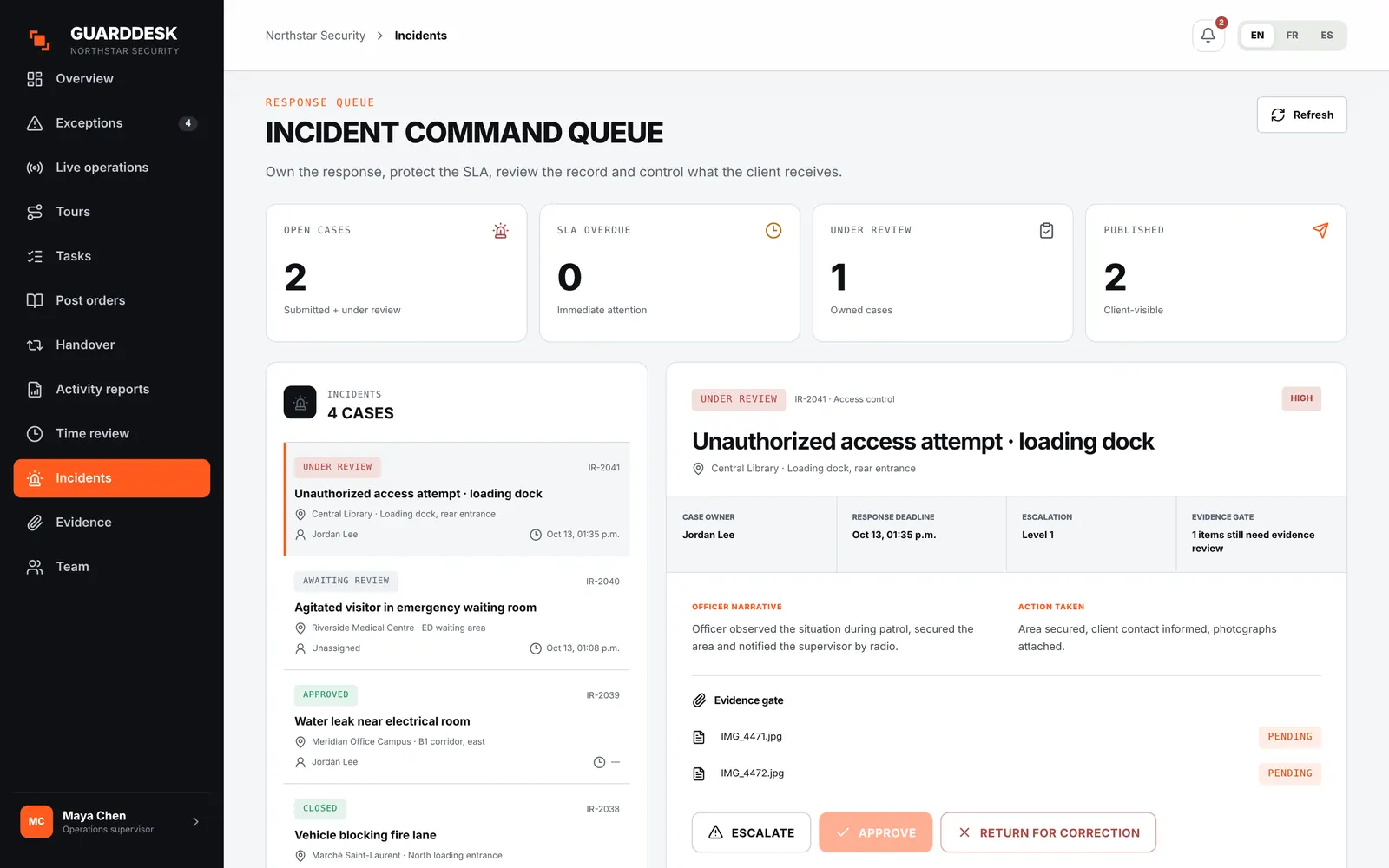
From a 3 a.m. draft to a report you’d stand behind.
Guards report from the phone with photos. Supervisors own the case, decide what the client may see, and the evidence stays intact the whole way.
- Structured incident forms
- Incident types with the questions your clients expect, photos attached on the spot, even offline.
- Case management
- Owner, SLA clock, notes, escalation, decision and corrective actions.
- Sealed evidence
- Every photo is fingerprinted (SHA-256) at capture and keeps a chain of custody.
- Redacted copies
- Share a redacted version with the client while the original stays sealed.
- Controlled publication
- Nothing reaches the client until a supervisor approves and publishes it.
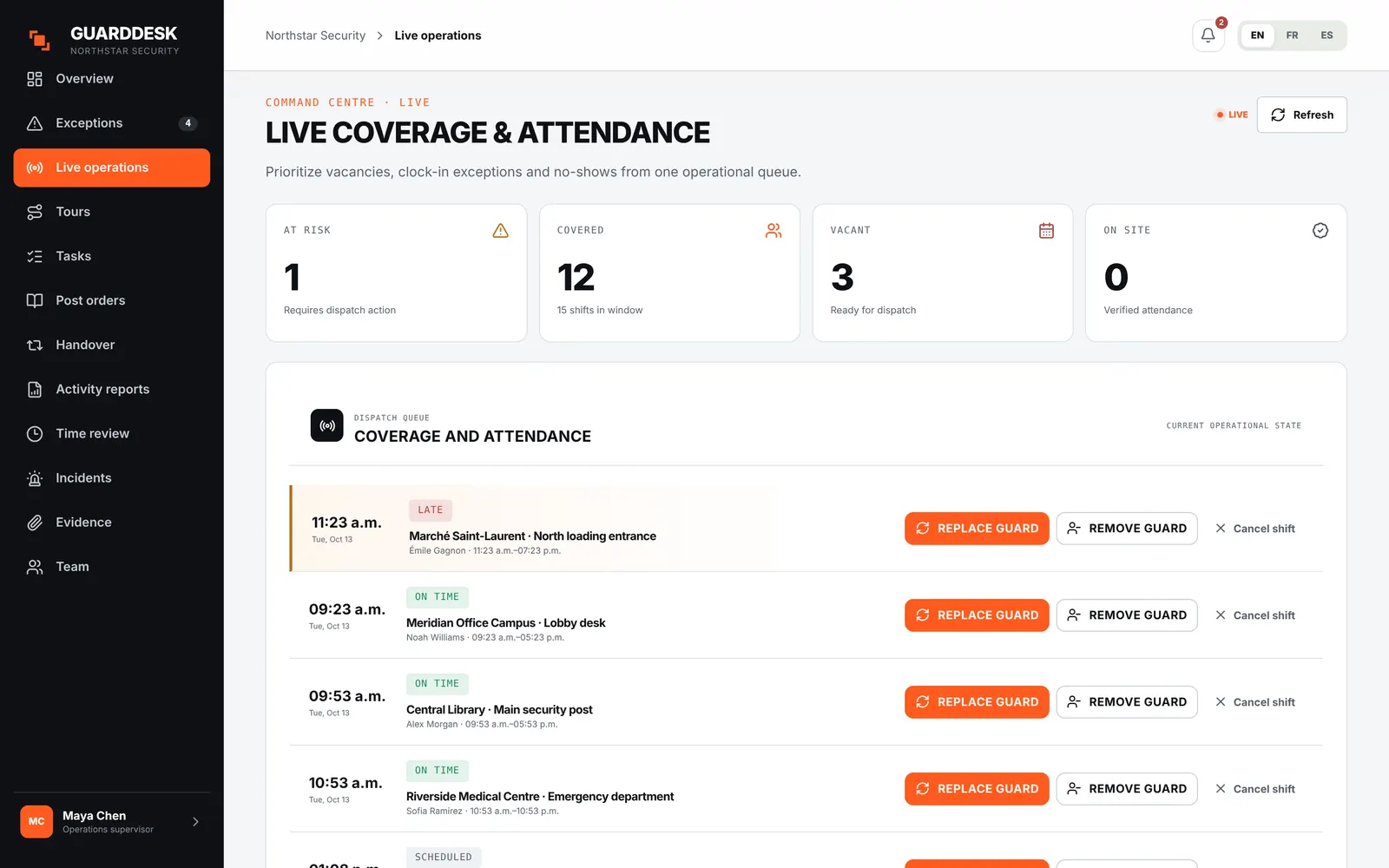
Know what’s wrong before the client calls.
Supervisors work from one exception inbox instead of five group chats. Each alert goes to the supervisor responsible for that site.
- Exception inbox
- Late, missed or early clock events, geofence breaches, missed tours, overdue incidents, missed welfare checks and SOS.
- Routing and notifications
- Routed by your site hierarchy, with an in-app bell and push notifications.
- Post orders
- Versioned post orders, acknowledged by each guard before the shift.
- Handover board
- Open issues carry forward from shift to shift until someone resolves them.
- Logbook and visitors
- Site logbook entries and visitor sign-in and sign-out from the guard’s phone.
Hours that match what you billed.
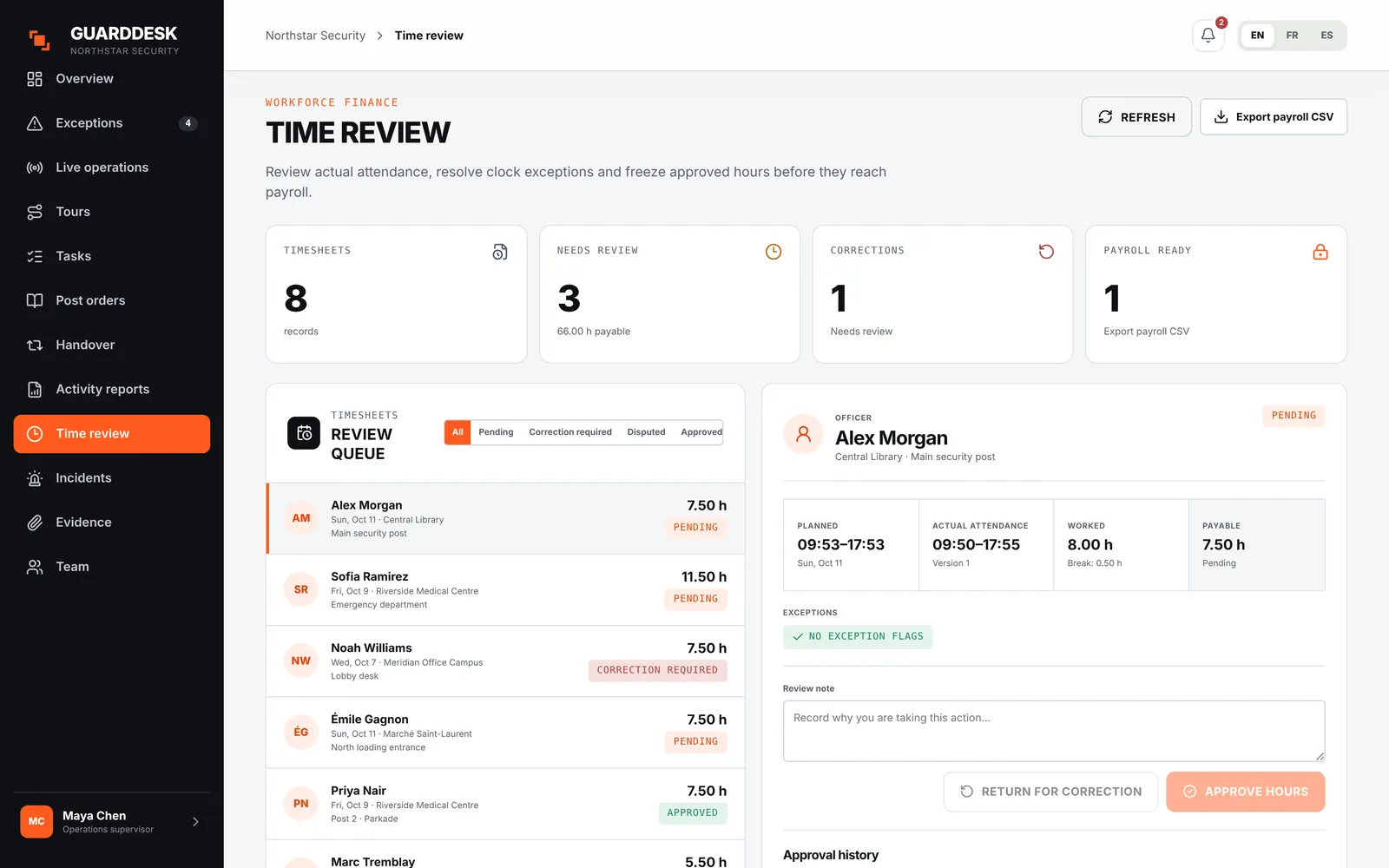
Clock events become timesheets automatically. Disputes are settled before the period locks, and your bookkeeper gets one clean file.
- Automatic timesheets
- Built from the clock ledger, per guard and per period.
- Corrections and disputes
- Guards can dispute their hours from the phone before the period is locked.
- Overtime flagged
- Overtime is identified per period, not discovered at payroll.
- Financial lock
- Once locked, any later adjustment is recorded and audited.
- Payroll export
- A payroll-ready CSV with a completeness check for each period.
Show clients the work, not the noise.
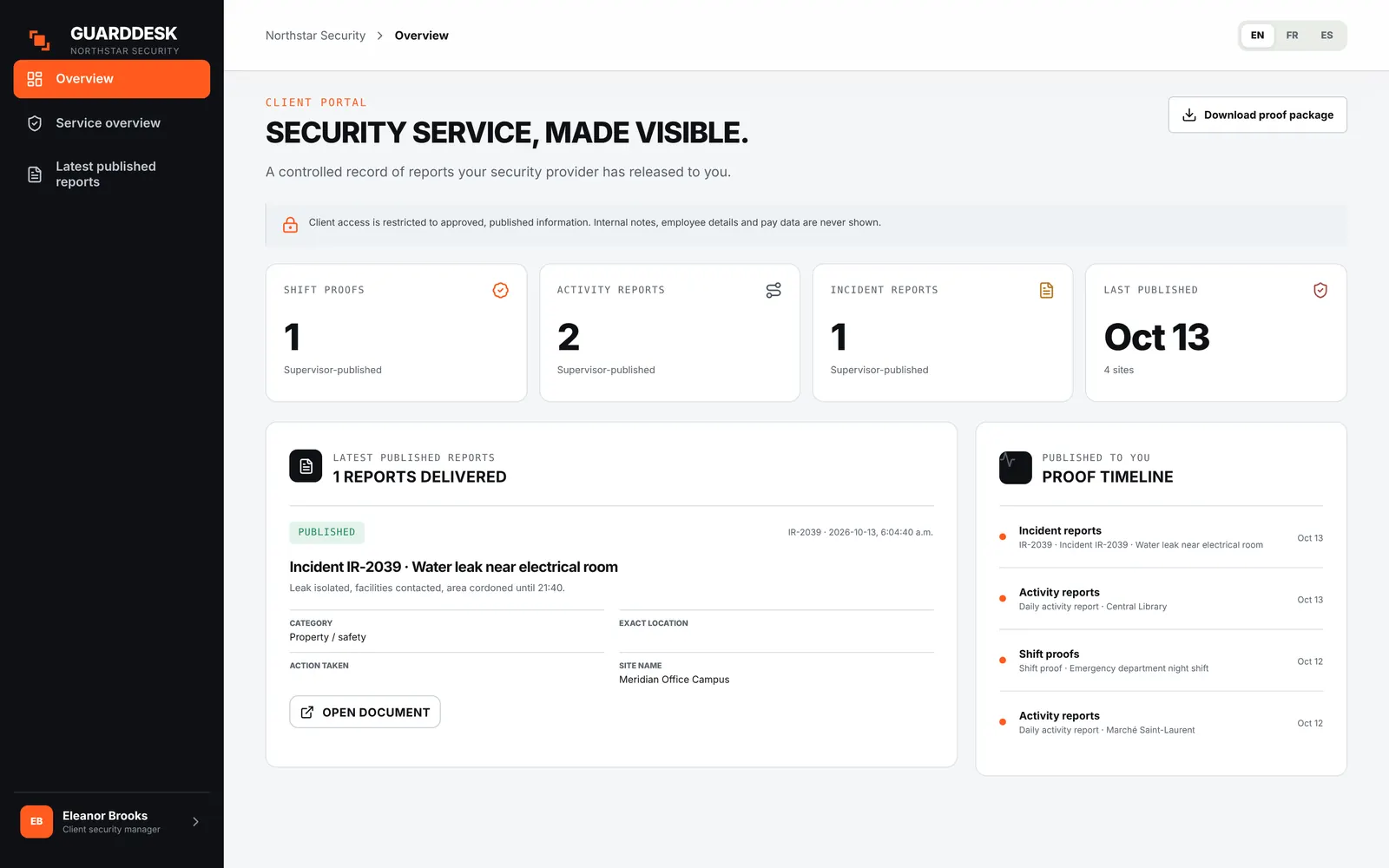
Clients see a short, readable account of each night built only from approved records. Internal notes, pay rates and employee details never leave your side.
- Daily activity report
- Coverage, tours verified and flagged, published incidents, client-visible log entries and visitor count.
- Client portal
- Logins for your clients to see reports and published incidents for their sites (Pro).
- Only published records
- Everything in the portal comes from frozen, published records. Flagged scans are shown as flagged.
- Private by default
- Internal notes, pay and employee details are excluded unless you explicitly publish them.
Built like evidence, because it is.
What we’re building next, with our pilot firms.
Pilot partners decide the order. These are specified and queued.
- Licence and permit expiry remindersNext
- Pre-shift reminders and acknowledgement escalationNext
- Live site status boardPlanned
- Contracted vs delivered hours per clientPlanned
- Operations KPI reportPlanned
- Client service requestsPlanned