- NFC, QR and GPS checkpoints
- Server-side verification
- Missed-round exceptions and SOS
- Daily client report by email
Guard tour systemA guard tour system that proves the round happened.
NFC tags, QR codes or GPS checkpoints, scanned with the guard’s own phone. Every scan is checked on the server for the right tag, place and time, and a missed round reaches a supervisor within minutes.
From $9 per active guard per month · no readers or wands to buy · no per-site fee
What a scan should prove
TodayA QR code photographed on day one gets “scanned” from the guard room all night.
With GuardDeskEach scan is checked against the tag, the guard’s position and the timing window. A scan that doesn’t fit is flagged, not counted.
TodayYou find out a round was skipped when the client calls about a break-in.
With GuardDeskMissed and incomplete tours become exceptions within minutes, routed to the supervisor for that site.
TodayProprietary wands that cost hundreds each and get lost or broken.
With GuardDeskGuards scan with their own iPhone or Android phone. Tags are standard NFC stickers or printed QR sheets.
On the guard’s phone
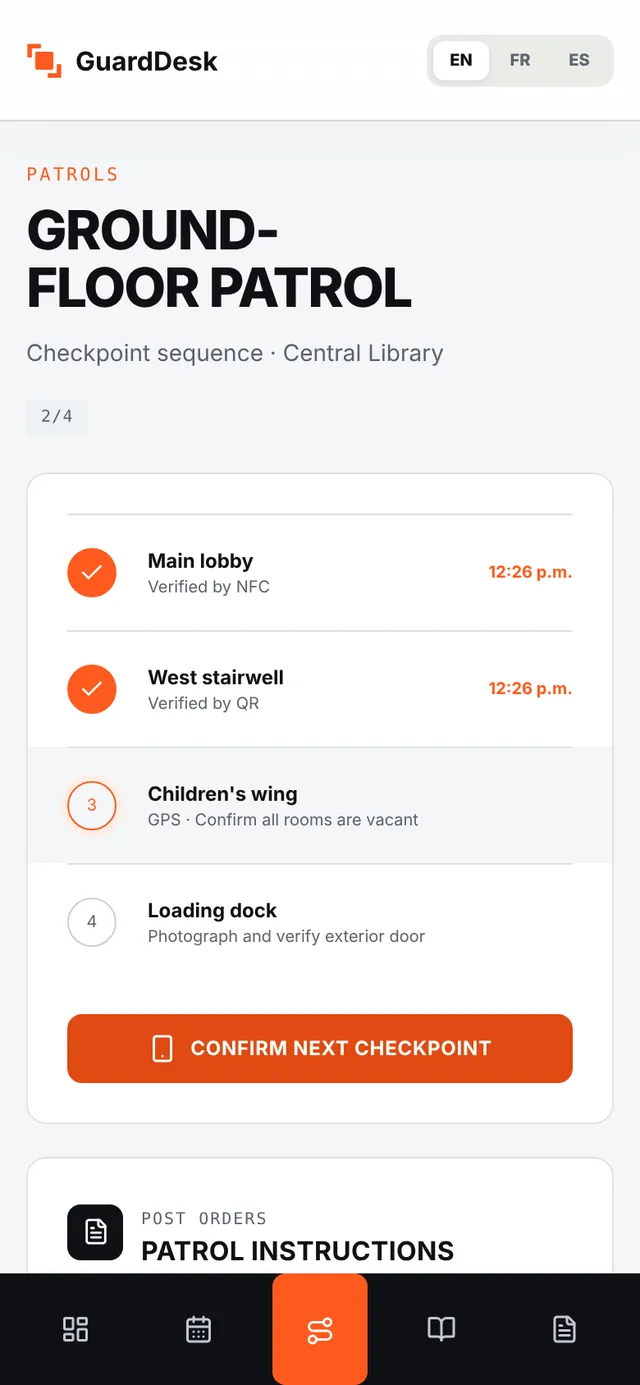
Start the round, scan, move on.
The guard sees the checkpoints in order, with what to check at each one. Scans work offline and sync when the phone reconnects.
- Three methods
- NFC tags, printed QR codes or GPS points. Mix them on the same site.
- Instructions per checkpoint
- “Confirm all rooms are vacant”, “Photograph the exterior door”: the guard sees it at the point.
- Offline
- Scans recorded without signal are encrypted on the phone until they sync.
Verified on the server
Verified or flagged. Never silently accepted.
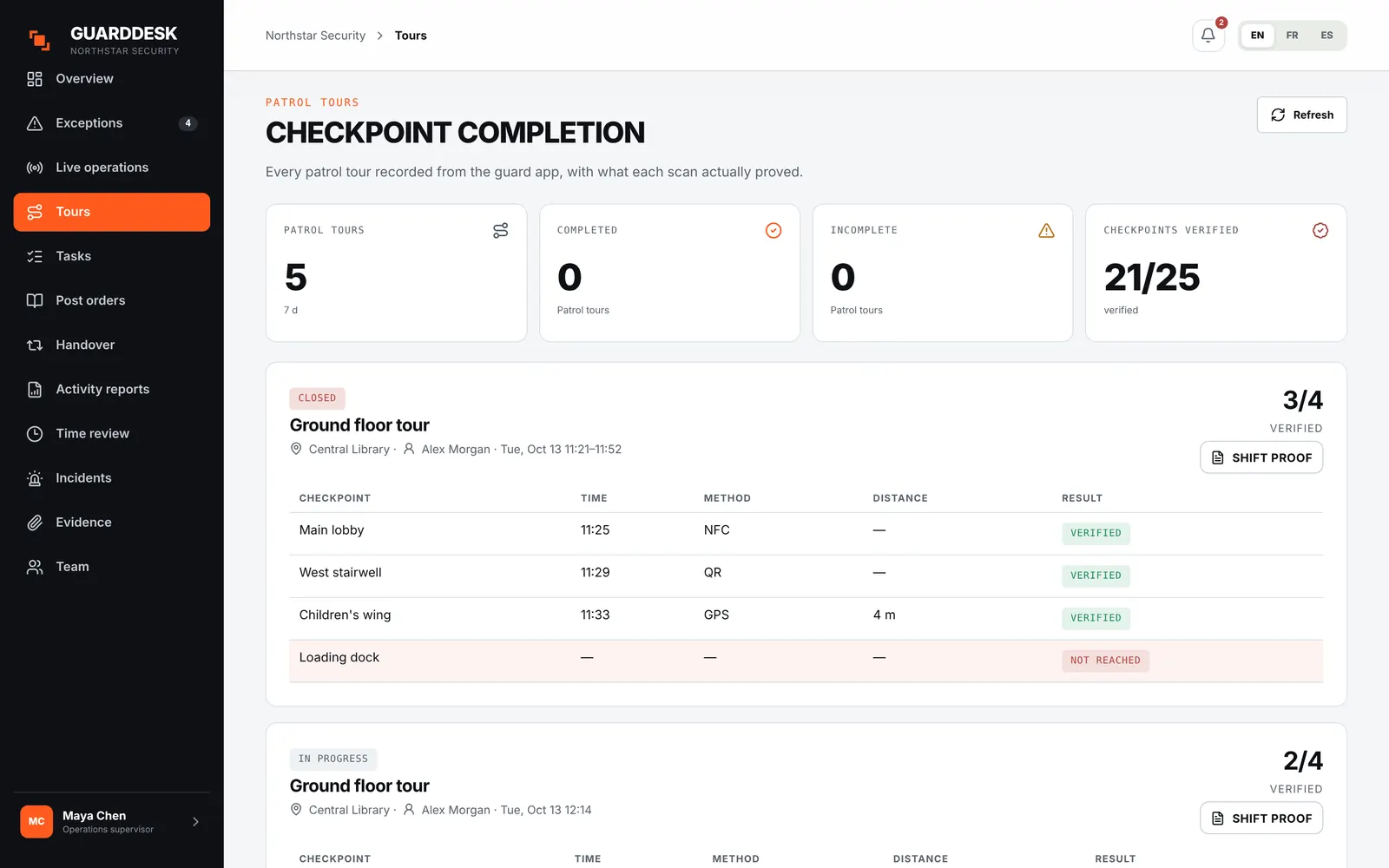
Time, location and tag are checked on the server, not on the phone. A late scan is kept but shown as flagged, to the supervisor and to the client.
- Order and timing windows
- Set the sequence and the window for each site’s rounds.
- Distance check
- The position at the time of the scan is compared with the checkpoint.
- Frozen shift proof
- At clock-out the shift’s record is frozen, so the proof the client receives can’t be changed later.
Missed rounds
The supervisor hears first, not the client.
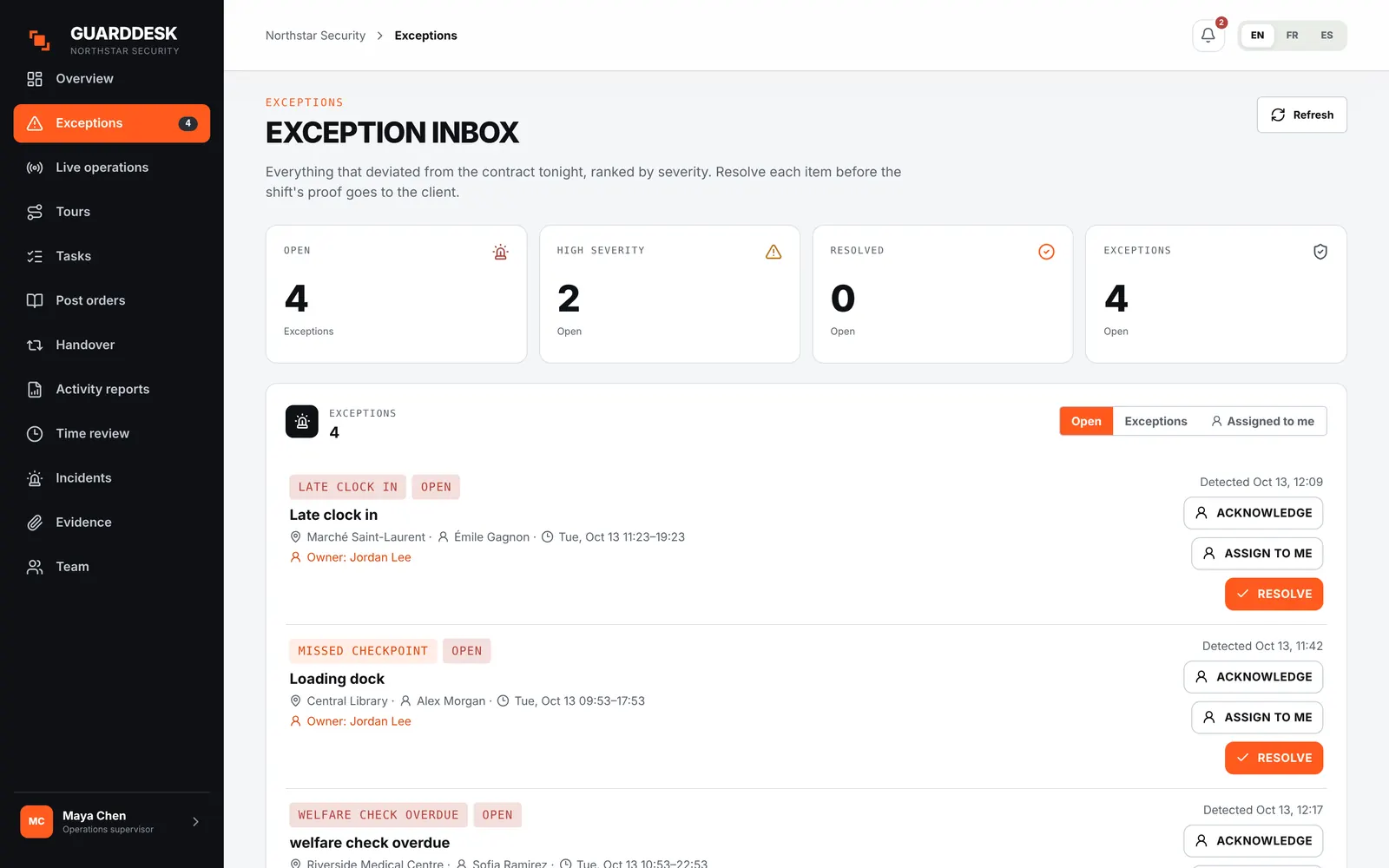
Missed checkpoints, incomplete tours, late clock-ins and missed welfare checks land in one exception inbox, ranked by severity.
- Routed by site
- Each alert goes to the supervisor responsible for that site, with a push notification.
- Acknowledge and resolve
- Who saw it, when, and what they did is recorded.
- In the client report
- Verified and flagged checkpoints appear in the next morning’s daily activity report.
Getting started
Tags on your hardest site this week
- 01 Pick the site where proof matters most. The one where the client asks questions.
- 02 Print QR sheets or stick NFC tags. From the office app, using any standard NFC sticker. We help you map the checkpoints.
- 03 Guards install the app and run the round. iPhone or Android, on their own phone.
- 04 The client gets the first report the next morning. Every checkpoint, verified or flagged.
Pricing
Patrols are in both plans
No setup fee, no per-site fee, month to month. Starter has a $150 monthly minimum, Pro $250.
See pricing- Everything in Starter
- Client portal logins
- Labour-rule compliance in scheduling
- AI-assisted report writing
Questions firms ask
NFC, QR or GPS: which should we use?
NFC for indoor checkpoints that matter, QR where tags get damaged or you need to start today, and GPS for large outdoor areas such as parking lots. Our guide to fake patrols explains what each one proves.
Do we need special hardware?
No. Guards scan with their own phone. NFC tags are standard stickers, and QR sheets print from the office app.
What happens if there is no signal in the building?
The round works offline. Scans are encrypted on the phone and verified by the server when it reconnects, with the time they actually happened.
Can we start with patrols only?
Yes. Many firms start with tags and the daily client report on one site, then move scheduling and timesheets over the following week. The price per guard is the same.
Does the client see flagged scans?
Yes. The daily report shows flagged checkpoints as flagged. Hiding them would make the report worthless as proof.